
Pointing your domain to us when it is registered at GoDaddy
Updated November 13, 2026
If you bought your domain name from GoDaddy, the domain's nameservers are set in your GoDaddy account. To make your website show, change them to ours.
GoDaddy changes its screens from time to time. GoDaddy keeps current steps in its own help: Change my domain nameservers.
Before you start, find the welcome email we sent when you bought your hosting package. It lists our nameservers. There are two or more, and you must change every one.
- Sign in to your GoDaddy account.
- Open the domain you want to point to us.
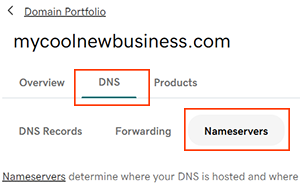
- Find the nameserver settings for that domain.
Picture: godaddy.com - Choose to enter your own nameservers, then remove the current ones.
- Enter each nameserver from our welcome email, one per box. Add more boxes if our email lists more than two.
- Save your changes and confirm if GoDaddy asks you to.
- Sign out of GoDaddy when you are done.
Your domain can take 24 to 48 hours to fully update after you make this change. During that time, some visitors may still see the old site.
If you can't find the welcome email, or you want us to check your nameservers, sign in to our client area and choose "Open a ticket".