
Give someone access to one domain on GoDaddy
Updated November 13, 2026
GoDaddy has no setting for sharing a single domain by itself. You put the domain in its own folder, invite the person as a delegate, then limit their domain access to that folder. This applies to a domain you manage at GoDaddy.
Picture: godaddy.com
GoDaddy keeps current steps in its own help: Invite a delegate to access my GoDaddy account. The person you invite needs a GoDaddy account. GoDaddy asks them to create one if they don't have one.
Sign in to your GoDaddy account and open your domain portfolio.
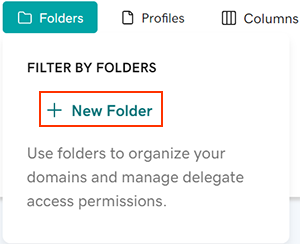
Picture: godaddy.comCreate a new folder and move the domain you want to share into it.
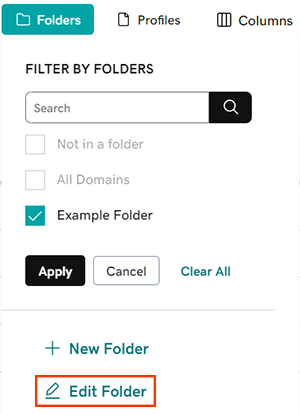
Edit the new folder and choose the access you want the delegate to have for it, such as managing the domain or transferring it. Save your changes.
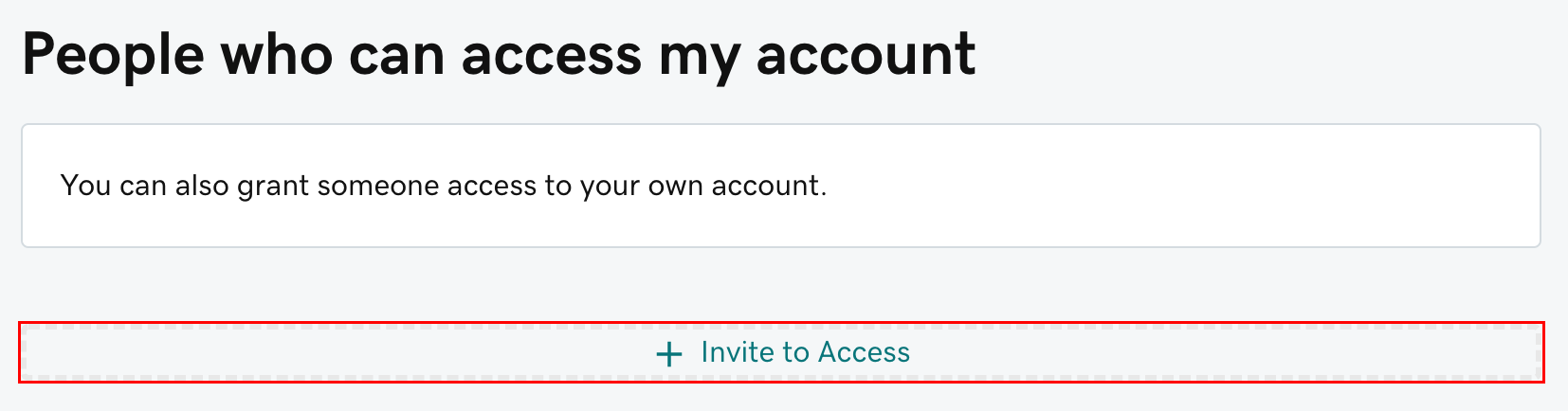
Picture: godaddy.comInvite the person as a delegate. Go to GoDaddy's Delegate Access page and choose Invite to Access. Enter their name and email address, pick an access level such as Domains Only, and send the invitation.
Picture: godaddy.comLimit what they can reach. By default, a delegate with domain access can manage all of your domains. Go back to your domain portfolio and open the settings for the All Domains folder. Turn off management access for the delegate there.
Check that management access is on only for the folder that holds the domain you want them to manage.
The invitation expires if it isn't accepted within 48 to 72 hours. If it does, send a new one.
This is separate from your account with us. To give someone a login to our client area, sign in to our client area as the account's owner and open People.